
Phone coolers and mini PCs: Who actually needs them?
Phone coolers and mini PCs are both examples of hardware designed for specific needs—one for thermal management in extreme scenarios, the other for compact, upgradeable computing. While neither is essential for most users, they highlight how niche solutions can address edge cases in productivity and performance.

Editor, Lazyfounder
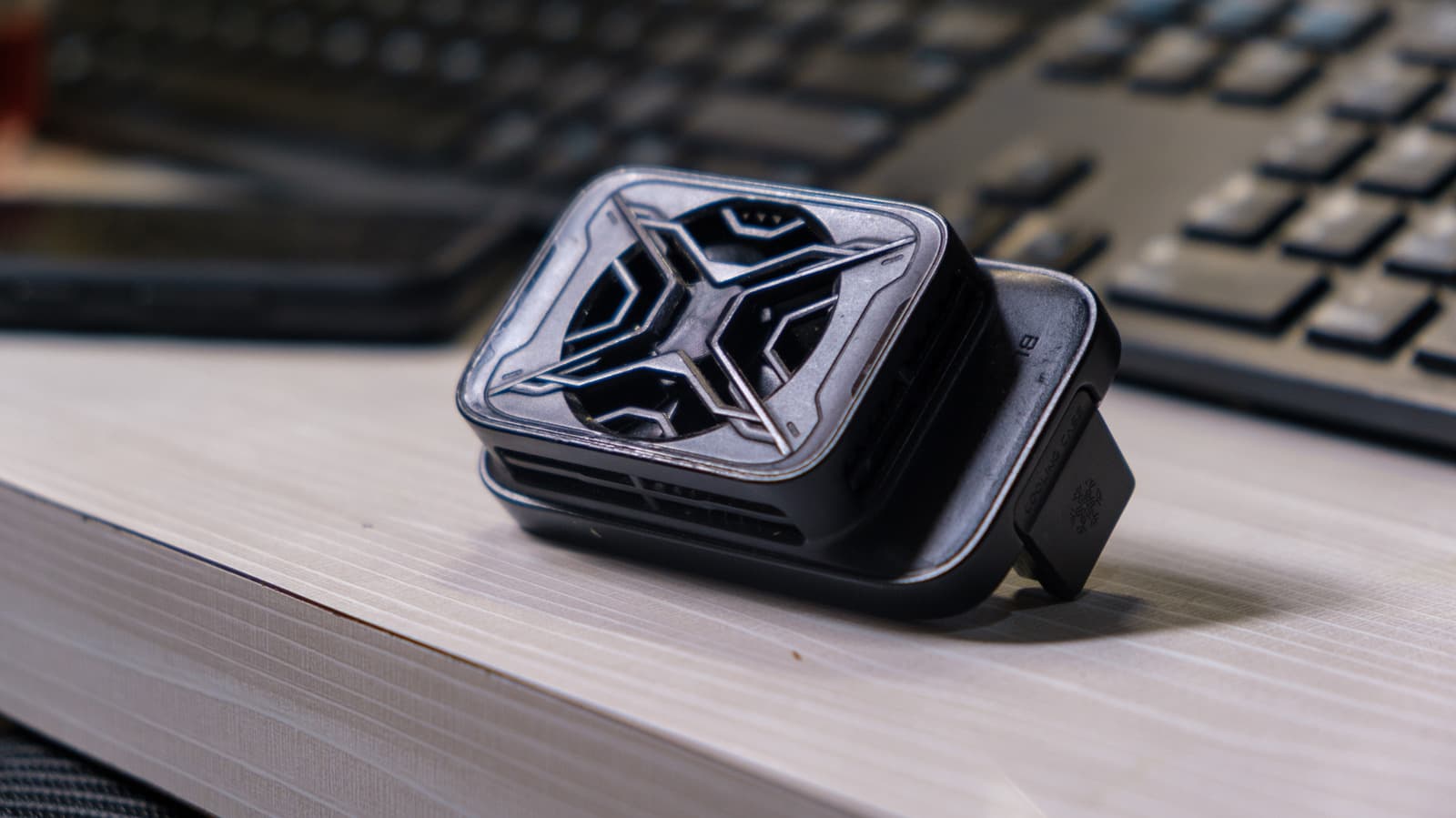
Phone coolers and mini PCs are both examples of hardware designed for specific needs—one for thermal management in extreme scenarios, the other for compact, upgradeable computing. While neither is essential for most users, they highlight how niche solutions can address edge cases in productivity and performance.
30 SEC SUMMARY
- Phone coolers are unnecessary for most users but may help in specific scenarios like prolonged gaming or high-heat environments.
- Active cooling can improve performance stability in phones during intense tasks, such as gaming or livestreaming.
- Simple solutions like adjusting phone positioning or removing thick cases often suffice for heat management.
- Mini PCs and laptops both offer viable home office setups, but their suitability depends on user needs like portability and upgradeability.
- Laptops provide flexibility for users who work across multiple locations, while mini PCs may be cost-effective for stationary setups.
TABLE OF CONTENTS
- Phone coolers: A niche solution
- Drawbacks and trade-offs
- Mini PCs vs. laptops: Choosing the right home office setup
- Background: The evolution of compact computing
- What this means
- Key takeaways
- FAQ
- Sources
KEY HIGHLIGHTS
- Phone coolers improve performance stability in phones during intense tasks like gaming or livestreaming.
- External cooling boosted the ASUS ROG Phone 8 Pro’s 3DMark stability scores from ~77-79% to ~90-93% with the AeroActive Cooler X.
- Simple solutions like adjusting phone positioning or removing thick cases often resolve heat issues for most users.
- Mini PCs and laptops serve different needs: mini PCs are cost-effective for stationary setups, while laptops offer portability.
- Upgradeability in mini PCs varies, with some models offering more flexibility than laptops.
- Wireless charging generates more heat than wired charging, and some Galaxy phones allow pausing USB PD charging to reduce heat.
Phone coolers: A niche solution
According to Engadget, phone coolers are unnecessary for most users. Everyday tasks like browsing, messaging, or short video calls rarely generate enough heat to cause performance issues. However, prolonged gaming sessions, livestreaming, or using the phone in high-heat environments (like a car dashboard on a sunny day) can push devices to their thermal limits.
Active cooling accessories, such as clips with fans or Peltier-based coolers, can help maintain performance during these intensive tasks. For example, Notebookcheck’s testing showed that the ASUS ROG Phone 8 Pro’s 3DMark stability scores improved from 77-79% to 90-93% when using ASUS’s AeroActive Cooler X. This suggests that external cooling can mitigate heat-related throttling, but the benefit is limited to edge cases.
Engadget notes that simpler solutions often suffice for most users. Adjusting the phone’s position to improve airflow, removing thick protective cases, or avoiding direct sunlight can reduce heat buildup. For those gaming while charging, switching from wireless to wired charging—or pausing USB Power Delivery (USB PD) charging, a feature available on some Galaxy phones—can also help.
Drawbacks and trade-offs
While phone coolers offer benefits in specific scenarios, they come with trade-offs. Most models add bulk, weight, and fan noise, which can interfere with grip or portability. They also require additional cables or batteries, adding complexity to what is often a simple device. For users who don’t push their phones to extremes, these downsides may outweigh the benefits.
Engadget also highlights that cooling alone won’t solve all performance issues. If lag or slowdowns stem from poor Wi-Fi, server latency, or hardware limitations (like an aging processor), a cooler won’t make a difference. This reinforces that phone coolers are a targeted tool, not a universal fix.
Mini PCs vs. laptops: Choosing the right home office setup
The debate between mini PCs and laptops for home offices centers on trade-offs between portability, performance, and upgradeability. According to Engadget, mini PCs like the ASUS NUC 15 Pro often use laptop-grade hardware, such as Intel’s Core Ultra 7 265H, but their performance can differ due to cooling, firmware, and power limits.
Upgradeability is a key consideration. Some mini PCs, including the ASUS NUC 15 Pro, offer SO-DIMM slots for RAM upgrades and M.2 slots for storage expansion. Laptops, in contrast, are often less flexible, though they provide built-in displays, keyboards, and batteries. Engadget points out that a barebones mini PC may not be cost-effective once you factor in the price of added RAM, storage, and an operating system.
For users who work in multiple locations or travel frequently, a laptop is often the better choice. A single cable can transform a laptop into a desktop-like setup, offering convenience without sacrificing mobility. Mini PCs, however, can be more cost-effective for stationary setups, especially if you already own peripherals like monitors, keyboards, and mice.
Background: The evolution of compact computing
The rise of mini PCs reflects broader trends in computing: demand for compact, modular, and cost-effective hardware. Unlike traditional desktops, mini PCs prioritize space efficiency and energy savings, making them attractive for home offices and small workspaces. However, their reliance on laptop-grade components means they inherit some of the same limitations, such as thermal constraints and upgrade trade-offs.
Similarly, smartphone accessories like phone coolers highlight how hardware is adapting to niche use cases. While most users won’t need active cooling, the growing demands of mobile gaming, livestreaming, and AI-driven apps are pushing phones to their thermal limits. This mirrors trends in other categories, like gaming laptops or workstations, where cooling solutions are becoming critical differentiators.
What this means
Lazyfounder analysis — our interpretation, not reported fact.
For founders and operators, this story highlights two key trends in hardware: specialization and trade-offs.
Phone coolers aren’t a mainstream need, but they reflect how niche accessories can carve out a market for power users—think gamers, creators, or professionals in extreme environments. If you’re building hardware, ask whether your product solves a broad pain point or a specific one. The former might scale faster, but the latter can command premium pricing and loyalty.
The mini PC vs. laptop debate is similar. Mini PCs appeal to cost-conscious, stationary users who prioritize upgradeability, while laptops cater to those who value portability. This isn’t just about hardware; it’s about understanding workflows. For example, if your startup serves remote workers, integrating seamless docking solutions (like single-cable laptop setups) could be a differentiator.
Finally, thermal management is a microcosm of a larger trend: hardware optimization for edge cases. As devices push performance limits—whether in AI, gaming, or professional workloads—cooling, power efficiency, and firmware tweaks become critical. If your product relies on hardware, plan for these constraints early. The goal isn’t just to prevent throttling; it’s to turn constraints into features (e.g., "gaming-optimized" settings in software).
Key takeaways
- Phone coolers are overkill for most users but useful for prolonged gaming, livestreaming, or high-heat scenarios.
- Active cooling can improve performance stability, as seen in benchmarks like the ASUS ROG Phone 8 Pro’s 3DMark scores.
- Simple fixes like adjusting phone positioning or removing thick cases often resolve heat issues.
- Wireless charging generates more heat than wired charging, and some phones allow pausing charging to reduce heat.
- Mini PCs and laptops serve different needs: mini PCs excel in stationary setups, while laptops offer portability.
- Upgradeability varies widely in mini PCs, with some models offering more flexibility than laptops.
FAQ
Do I need a phone cooler for everyday use?
No. Most users won’t encounter heat-related performance issues during everyday tasks like browsing, messaging, or short video calls. Phone coolers are only useful for prolonged gaming, livestreaming, or high-heat environments.
When might a phone cooler be worth it?
A phone cooler can help if you frequently engage in activities that push your phone to its thermal limits, such as long gaming sessions, video processing, or using navigation and charging in a hot car. It can also benefit outdoor photography in summer conditions.
Are mini PCs better than laptops for a home office?
It depends on your needs. Mini PCs can be cost-effective for stationary setups, especially if you already own peripherals like monitors and keyboards. Laptops, however, offer portability and the flexibility to work across multiple locations.
Can I upgrade a mini PC like a traditional desktop?
Some mini PCs offer upgrade options, such as SO-DIMM slots for RAM or M.2 slots for storage, but the level of flexibility varies by model. Laptops are generally less upgradeable.
Related on Lazyfounder
Sources
- Engadget · 2026-10-05
Are Phone Coolers Actually Worth It? - Engadget · 2026-10-05
Mini PC Vs. Laptop: Which Is Better For Your Home Office?
This story is an original summary drafted with AI by Lazyfounder from the reporting listed above and checked by automated validation. Facts are attributed to their original publishers; sections marked as analysis are Lazyfounder's. Where a source is in another language, facts were machine-translated and quotations are reported, not reproduced. Read the original coverage via the links, and see our AI policy and corrections policy.

About the author
Editor, Lazyfounder
Tarun Mottlia edits LazyFounders, covering Indian startups, funding rounds, AI and product launches. Every story on the site is AI-assisted and checked against its cited sources before publication.
More stories by Tarun MottliaGet the LazyFounder Brief
Startup, funding and AI news in a five-minute read. Join the early-access list.
