
Gaming Routers: More Hype Than Hardware?
Gaming routers are marketed as essential tools for serious gamers, offering features like advanced Quality of Service (QoS), geo-filtering, and traffic management. But do they deliver tangible benefits, or are they just repackaged standard routers? Recent analysis shows that while these devices provide some useful tools, many of their features are also available on non-gaming routers—and a wired connection often remains the best solution for performance.

Editor, Lazyfounder
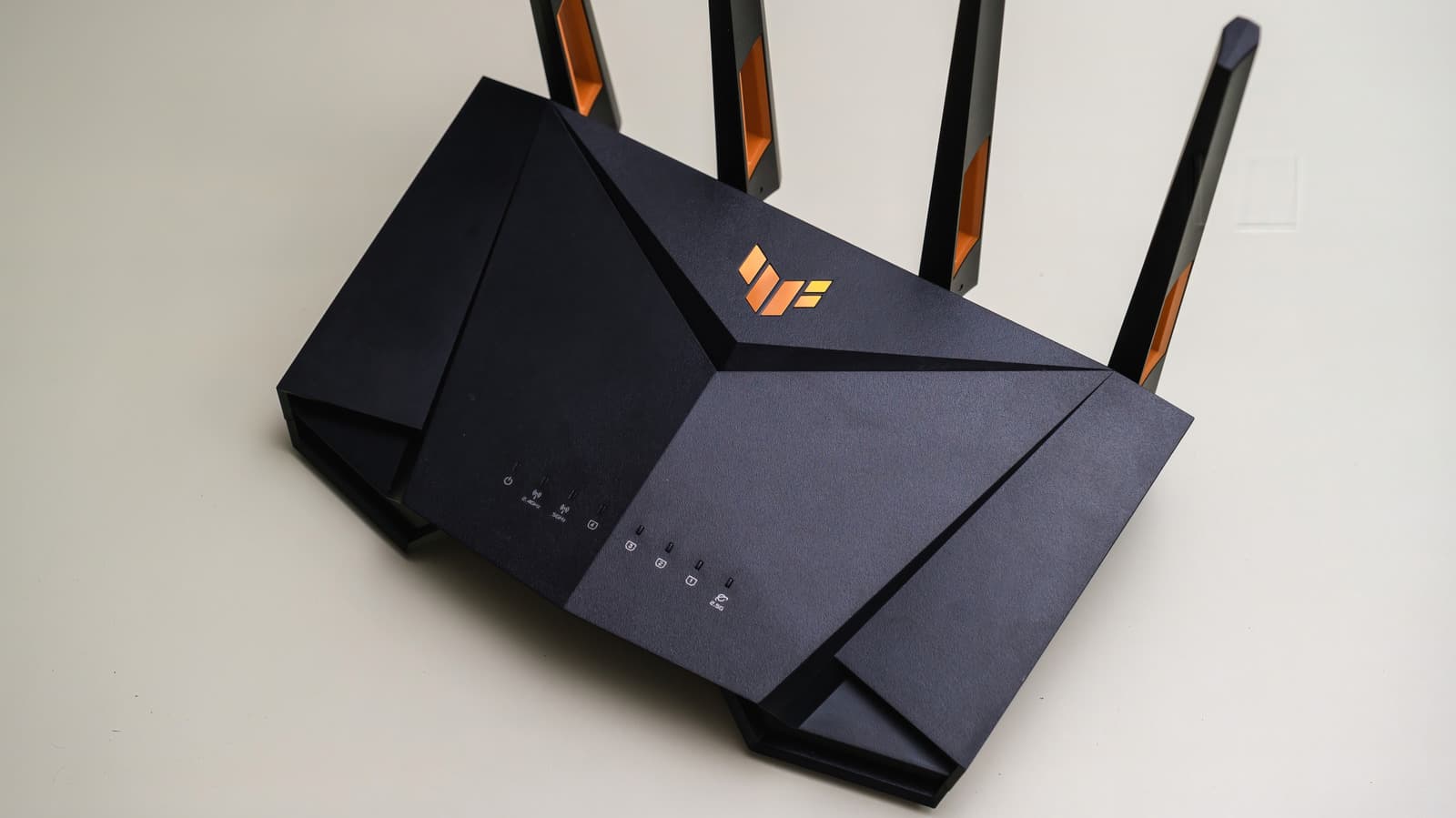
Gaming routers are marketed as essential tools for serious gamers, offering features like advanced Quality of Service (QoS), geo-filtering, and traffic management. But do they deliver tangible benefits, or are they just repackaged standard routers? Recent analysis shows that while these devices provide some useful tools, many of their features are also available on non-gaming routers—and a wired connection often remains the best solution for performance.
30 SEC SUMMARY
- Gaming routers market specialized features like advanced QoS, geo-filtering, and traffic management, but many of these tools are also available on standard routers.
- A wired Ethernet connection generally outperforms Wi-Fi for gaming, offering lower latency and more stable performance.
- Features like QoS and Smart Queue Management (SQM) can improve network latency but are not exclusive to gaming routers.
- Physical distance to game servers and network congestion are common causes of latency that routers cannot fully address.
- Gaming routers often prioritize design and software tools over hardware differences compared to standard routers.
TABLE OF CONTENTS
- What Gaming Routers Offer
- Features Beyond Gaming Routers
- Limitations of Gaming Routers
- What this means
- Key takeaways
- FAQ
- Sources
KEY HIGHLIGHTS
- Gaming routers share many hardware specifications with standard routers, including Wi-Fi 7 support and tri-band radios.
- Non-gaming routers like the TP-Link Archer BE550 offer features such as QoS device prioritization and 2.5 Gbps Ethernet ports.
- Geo-filtering and advanced dashboards are marketed as gaming-specific tools but may not drastically improve performance.
- A wired Ethernet connection (Cat 5e or higher) is recommended for optimal gaming performance.
- Wi-Fi stability issues can often be resolved by optimizing router placement rather than upgrading to a gaming router.
What Gaming Routers Offer
Gaming routers are marketed as specialized hardware designed to enhance online gaming experiences. According to Engadget, these devices typically include features like advanced Quality of Service (QoS) settings, geo-filtering, and traffic management tools. These functionalities aim to reduce latency, prioritize gaming traffic, and optimize connections to game servers.
However, the hardware inside gaming routers is not fundamentally different from standard routers. Both often use the same Wi-Fi standards, such as Wi-Fi 7, tri-band radios, and fast Ethernet ports. For example, the TP-Link Archer BE550—a non-gaming router—includes tri-band Wi-Fi 7, 2.5 Gbps Ethernet ports, and QoS device prioritization, features commonly associated with gaming routers.
Features Beyond Gaming Routers
Many features marketed as "gaming-specific" are also available on standard routers. QoS, for instance, allows users to prioritize certain devices or types of traffic, such as gaming, over others. Asus’ Adaptive QoS even includes presets for gaming to automate this process. Similarly, Smart Queue Management (SQM) helps maintain responsive connections under heavy network load by managing data queues, though it may reduce overall throughput.
Testing by RTINGS, as reported by Engadget, found that 9 out of 11 routers improved network latency using QoS or SQM, including non-gaming models. This suggests that these features are not exclusive to gaming routers and can benefit general users.
Limitations of Gaming Routers
Despite their specialized features, gaming routers have limitations. A wired Ethernet connection remains the most reliable option for gaming, offering lower latency and more stable performance than Wi-Fi. Engadget notes that any Cat 5e cable or higher can support Gigabit Ethernet, and faster ports enable quicker downloads if the ISP connection allows it.
Additionally, gaming routers cannot overcome latency caused by physical distance to game servers or widespread network congestion. Wi-Fi stability issues, such as interference or poor placement, can often be resolved by repositioning the router rather than investing in a new one. Ultimately, gaming routers are mid-to-high-tier devices differentiated more by design and software tools than by superior hardware.
What this means
Lazyfounder analysis — our interpretation, not reported fact.
Gaming routers occupy a niche that blends marketing with genuine utility. For founders and operators in the hardware or gaming space, this story highlights a key insight: differentiation often lies in software and user experience, not just hardware specs. While gaming routers offer tools like geo-filtering and advanced QoS, these features are increasingly available on standard routers, blurring the line between specialized and general-purpose devices.
For gamers, the takeaway is clear: a wired connection is still the gold standard for performance, and many "gaming" features can be found elsewhere. For startups, this underscores the importance of solving real problems—like latency or network congestion—rather than relying on branding alone. If you’re building a product in this space, focus on delivering measurable improvements, not just aesthetics or gimmicks.
Key takeaways
- Gaming routers share hardware specifications with standard routers but emphasize software features like QoS and geo-filtering.
- Many "gaming-specific" features are also available on non-gaming routers, such as the TP-Link Archer BE550.
- A wired Ethernet connection is more reliable for gaming than Wi-Fi, regardless of the router.
- Gaming routers cannot eliminate latency caused by physical distance to servers or network congestion.
- Wi-Fi stability issues can often be resolved by optimizing router placement rather than upgrading to a gaming router.
FAQ
Are gaming routers worth the investment?
It depends on your needs. Gaming routers offer features like geo-filtering and advanced QoS, but many of these tools are also available on standard routers. If you rely on Wi-Fi and want granular control over your network, a gaming router might help. For most users, a wired Ethernet connection and a well-placed standard router will suffice.
Can a gaming router reduce latency?
Gaming routers can improve network latency through features like QoS and SQM, but they cannot eliminate latency caused by physical distance to game servers or widespread network congestion. A wired connection is still the most effective way to minimize latency.
What features should I look for in a router for gaming?
Key features include QoS for traffic prioritization, SQM for managing network loads, and support for the latest Wi-Fi standards. However, these are not exclusive to gaming routers. Also, consider a router with multiple high-speed Ethernet ports for wired connections.
Do gaming routers work better than standard routers for non-gaming tasks?
Not necessarily. Gaming routers are often mid-to-high-tier devices with capable hardware, but their features—like QoS or geo-filtering—are rarely useful for non-gaming tasks. Standard routers with similar hardware perform just as well for general use.
Related on Lazyfounder
Sources
- Engadget · 2026-10-04
Do Gaming Routers Really Make A Difference?
This story is an original summary drafted with AI by Lazyfounder from the reporting listed above and checked by automated validation. Facts are attributed to their original publishers; sections marked as analysis are Lazyfounder's. Where a source is in another language, facts were machine-translated and quotations are reported, not reproduced. Read the original coverage via the links, and see our AI policy and corrections policy.

About the author
Editor, Lazyfounder
Tarun Mottlia edits LazyFounders, covering Indian startups, funding rounds, AI and product launches. Every story on the site is AI-assisted and checked against its cited sources before publication.
More stories by Tarun MottliaGet the LazyFounder Brief
Startup, funding and AI news in a five-minute read. Join the early-access list.
