
All-in-one desktops trade flexibility for simplicity, limiting upgrades and repairs
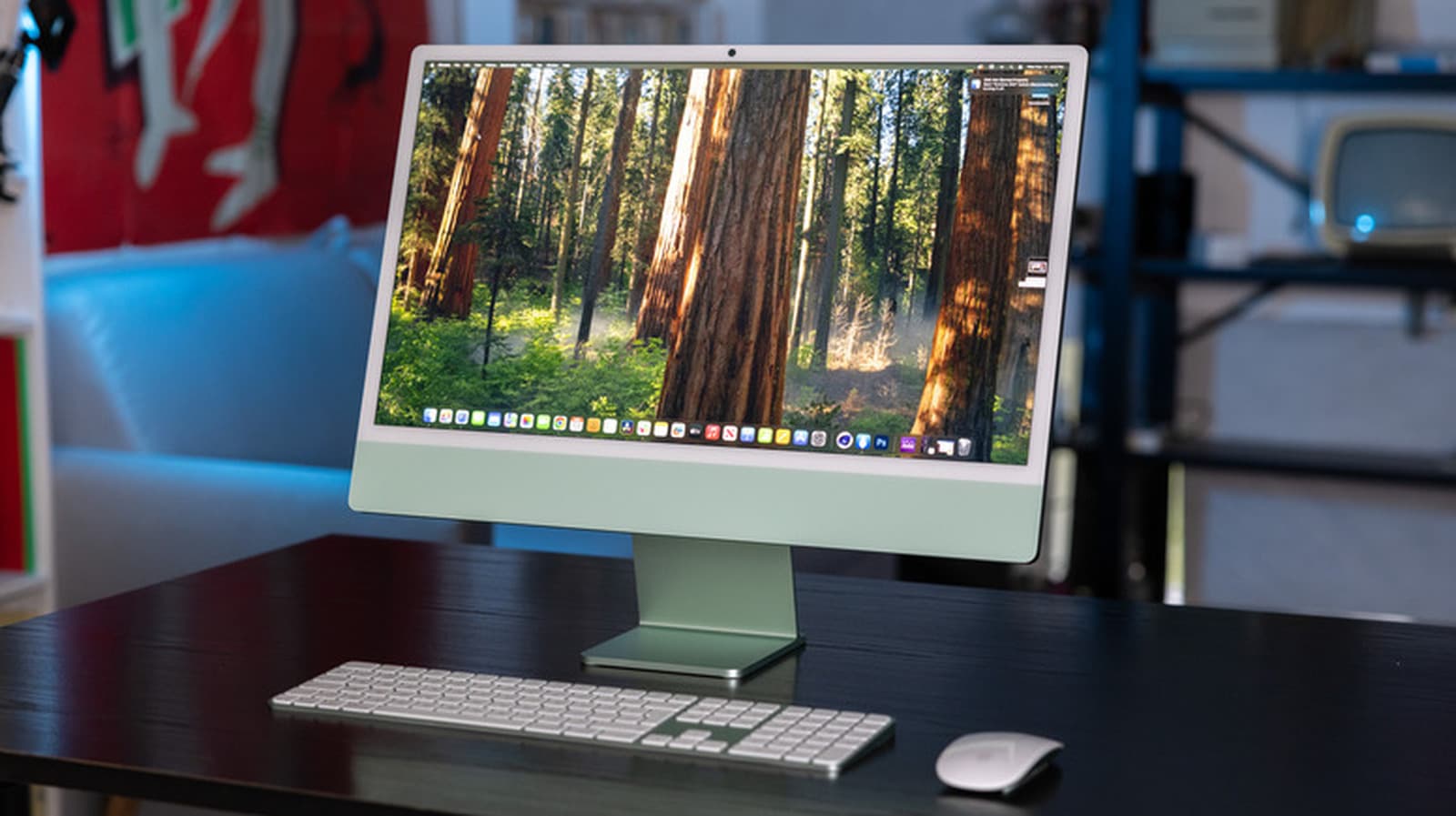
All-in-one (AIO) desktops combine the computer and monitor into a single unit, appealing to users who prioritize simplicity and space efficiency. However, their compact design comes at the cost of limited upgrade options and higher repair challenges compared to traditional desktops.

Editor, Lazyfounder
KEY HIGHLIGHTS
- AIO desktops integrate the computer and monitor into one unit, eliminating cables and reducing clutter.
- They are ideal for non-technical users, offices, and small spaces due to their simplicity and space-saving design.
- Most AIOs, like newer iMacs, do not allow upgrades to components like processors or graphics cards.
- Some models, such as the Dell Pro 24 65W, permit RAM and storage upgrades, but these are exceptions.
- Repairs are often harder and more expensive due to compact, glued-together designs.
- AIOs suit basic tasks like browsing and document work but are less ideal for gaming or video editing.
Why AIO desktops appeal to users
All-in-one (AIO) desktops integrate the computer and monitor into a single unit, eliminating the need for a separate tower, cables, or additional peripherals. This design appeals to users who prioritize a clean, modern setup without the complexity of traditional desktops. According to Engadget, their simplicity makes them popular in corporate offices, schools, and small living spaces like apartments and dorm rooms.
AIOs are ready-to-use systems that include a keyboard and mouse, reducing setup time. Their compact size saves desk space, and while they are not as portable as laptops, they are easier to move than traditional desktops. For non-technical users or those who value convenience, AIOs offer a hassle-free alternative to tower-and-monitor setups.
Upgrade and repair limitations
The compact design of AIO desktops comes with significant trade-offs. Most models, including newer iMacs, do not allow upgrades to core components like the processor or graphics card. While some, such as the Dell Pro 24 65W, permit RAM and storage upgrades, these are rare exceptions rather than the norm.
Repairability is another challenge. The compact, often glued-together construction of AIOs makes repairs difficult and costly. Engadget notes that even minor issues can require professional servicing, increasing long-term costs. Users who anticipate needing hardware upgrades or repairs may find traditional desktops a more practical choice.
Who should choose an AIO desktop
AIO desktops are well-suited for users who prioritize convenience and aesthetics over upgrade flexibility. They excel in tasks like browsing, document work, and video calls, making them a strong fit for offices, schools, and home users with limited space. However, for users who game, edit video, or plan to upgrade their system over time, a traditional desktop offers more room for growth and customization.
What this means
Lazyfounder analysis — our interpretation, not reported fact.
For founders and operators, the trade-offs of AIO desktops highlight a key consideration in hardware strategy: simplicity versus flexibility. Startups building products for non-technical users or space-constrained environments—such as co-working spaces, educational institutions, or retail setups—may find AIOs a practical solution. However, teams requiring high-performance computing, customization, or cost-effective repairs should weigh these limitations carefully. The trend also underscores the growing demand for devices that balance design and functionality, a principle that could inform product development in other consumer electronics categories.
Key takeaways
- AIO desktops are ideal for non-technical users and environments where space and simplicity are priorities.
- Limited upgradeability and repairability make AIOs less suitable for power users or long-term scalability.
- Startups targeting offices, schools, or small spaces can leverage AIOs for their ease of use and aesthetic appeal.
- Teams requiring high-performance hardware or customization should consider traditional desktops instead.
Related on Lazyfounder
Sources
- Engadget · 2026-10-31
The Pros And Cons Of Using An All-In-One Desktop Computer
This story is an original summary drafted with AI by Lazyfounder from the reporting listed above and checked by automated validation. Facts are attributed to their original publishers; sections marked as analysis are Lazyfounder's. Where a source is in another language, facts were machine-translated and quotations are reported, not reproduced. Read the original coverage via the links, and see our AI policy and corrections policy.

About the author
Editor, Lazyfounder
Tarun Mottlia edits LazyFounders, covering Indian startups, funding rounds, AI and product launches. Every story on the site is AI-assisted and checked against its cited sources before publication.
More stories by Tarun MottliaGet the LazyFounder Brief
Startup, funding and AI news in a five-minute read. Join the early-access list.