
Nitro PDF adds AI tools for document management and e-signatures
Nitro has updated its web-based PDF editing and e-signature platform with AI-powered tools, multi-platform apps, and cloud storage integrations. The service, reviewed by TechRadar, competes directly with Adobe Acrobat and Foxit PDF Editor, offering subscription plans starting at $15 per month.

Editor, Lazyfounder
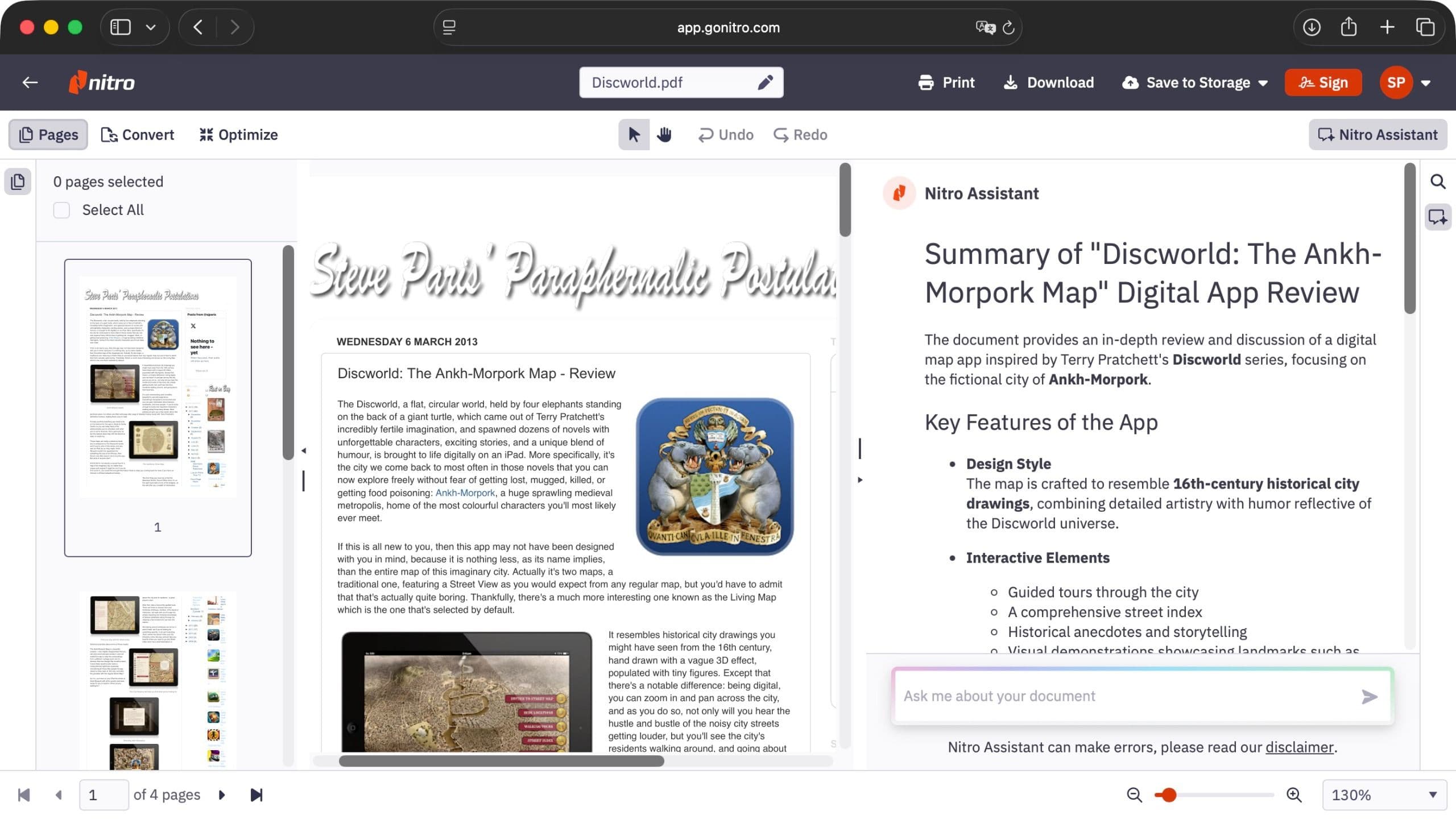
TABLE OF CONTENTS
AI and automation features
Nitro PDF now includes Nitro Assistant, an AI tool that can summarize, translate, and enable live conversations with a large language model (LLM). According to TechRadar, this feature activates automatically when a document is uploaded, simplifying workflows for businesses and individuals.
Additional AI-powered tools, Table Extract and Form Extract, convert tabular and form data into Excel or other usable formats. TechRadar noted that while Table Extract performs well with standard tables, it may struggle with complex layouts interspersed with paragraphs and images.
Pricing and plans
Nitro PDF offers subscription-based pricing, starting at $15 or £11.50 per month when billed annually. A three-year license is also available for $270 or £200, targeting long-term users.
For e-signatures, Nitro Sign is priced at $10 or £7.50 per month, while higher-end tiers—Nitro Sign Plus, Nitro Sign Enterprise, and Nitro PDF Plus—require bespoke pricing for enterprises or larger teams. TechRadar highlighted that the service provides a free trial, allowing users to test features before committing.
Multi-platform support and integrations
The service is available across multiple platforms, including Windows, Mac, iPad, iPhone, and iPod Touch, ensuring accessibility for users on different devices. TechRadar’s review noted that even older hardware, such as a seven-year-old machine, ran the software smoothly.
Nitro PDF integrates with cloud storage providers like Dropbox, OneDrive, GoogleDrive, Box, and SharePoint, enabling seamless document uploads and management. Recipients can sign documents without creating an account, a feature that simplifies adoption for external stakeholders.
Competition and market positioning
Nitro PDF competes with established players like Adobe Acrobat Standard, which TechRadar described as the top choice for PDF editing, and Foxit PDF Editor, a preferred option for businesses needing advanced manipulation tools. EaseUS PDF Editor was also mentioned as an alternative.
TechRadar’s review suggested that while Nitro PDF’s tools are well-designed and easy to use, its interface could be simplified further. The Detect Fields feature, which automates form field recognition, remains in beta, indicating room for improvement.
Adobe’s broader ecosystem
This update follows Adobe’s recent collaboration with Heathrow Airport to rebuild its website using AI-powered customer experience tools, as previously reported by Lazyfounder. Adobe’s efforts to integrate AI into enterprise workflows highlight the growing demand for intelligent document and content management solutions, a space Nitro PDF is now targeting directly.
What this means
Lazyfounder analysis — our interpretation, not reported fact.
Nitro PDF’s latest update signals a push to capture market share in the competitive PDF editing and e-signature space, dominated by Adobe and Foxit. The addition of AI tools like Nitro Assistant and Table Extract reflects a broader trend of embedding automation into document workflows, reducing manual effort for businesses. For founders and operators, this launch underscores the importance of interoperability—Nitro’s integrations with cloud storage providers make it easier to adopt without disrupting existing systems.
The pricing model, with options for monthly, annual, and multi-year licenses, caters to both small businesses and enterprises. However, the bespoke pricing for higher-end tiers suggests Nitro is still refining its enterprise strategy. The absence of additional fees for AI tools could be a differentiator for cost-conscious teams.
Startup founders evaluating PDF solutions should weigh Nitro’s multi-platform support and free trial against Adobe’s ecosystem dominance. The beta status of features like Detect Fields indicates that while the product is evolving, some workflows may still require manual adjustments. For Indian startups, where document-heavy industries like legal, finance, and healthcare are growing, tools that simplify data extraction and e-signatures could streamline operations significantly.
Related on Lazyfounder
Sources
- TechRadar · 2026-10-28
Nitro PDF (2026) review
This story is an original summary drafted with AI by Lazyfounder from the reporting listed above and checked by automated validation. Facts are attributed to their original publishers; sections marked as analysis are Lazyfounder's. Where a source is in another language, facts were machine-translated and quotations are reported, not reproduced. Read the original coverage via the links, and see our AI policy and corrections policy.

About the author
Editor, Lazyfounder
Tarun Mottlia edits LazyFounders, covering Indian startups, funding rounds, AI and product launches. Every story on the site is AI-assisted and checked against its cited sources before publication.
More stories by Tarun MottliaGet the LazyFounder Brief
Startup, funding and AI news in a five-minute read. Join the early-access list.
