
Apple CarPlay Gets Smarter with iOS 27 Updates and Faces $250M Settlement
Apple’s latest iOS 27 update introduces new customization options and features for CarPlay, aiming to enhance usability and reduce distractions for drivers. Meanwhile, the company has settled a $250 million lawsuit with U.S. customers who purchased certain iPhone models, offering payouts of up to $95 per device.
LazyFounders
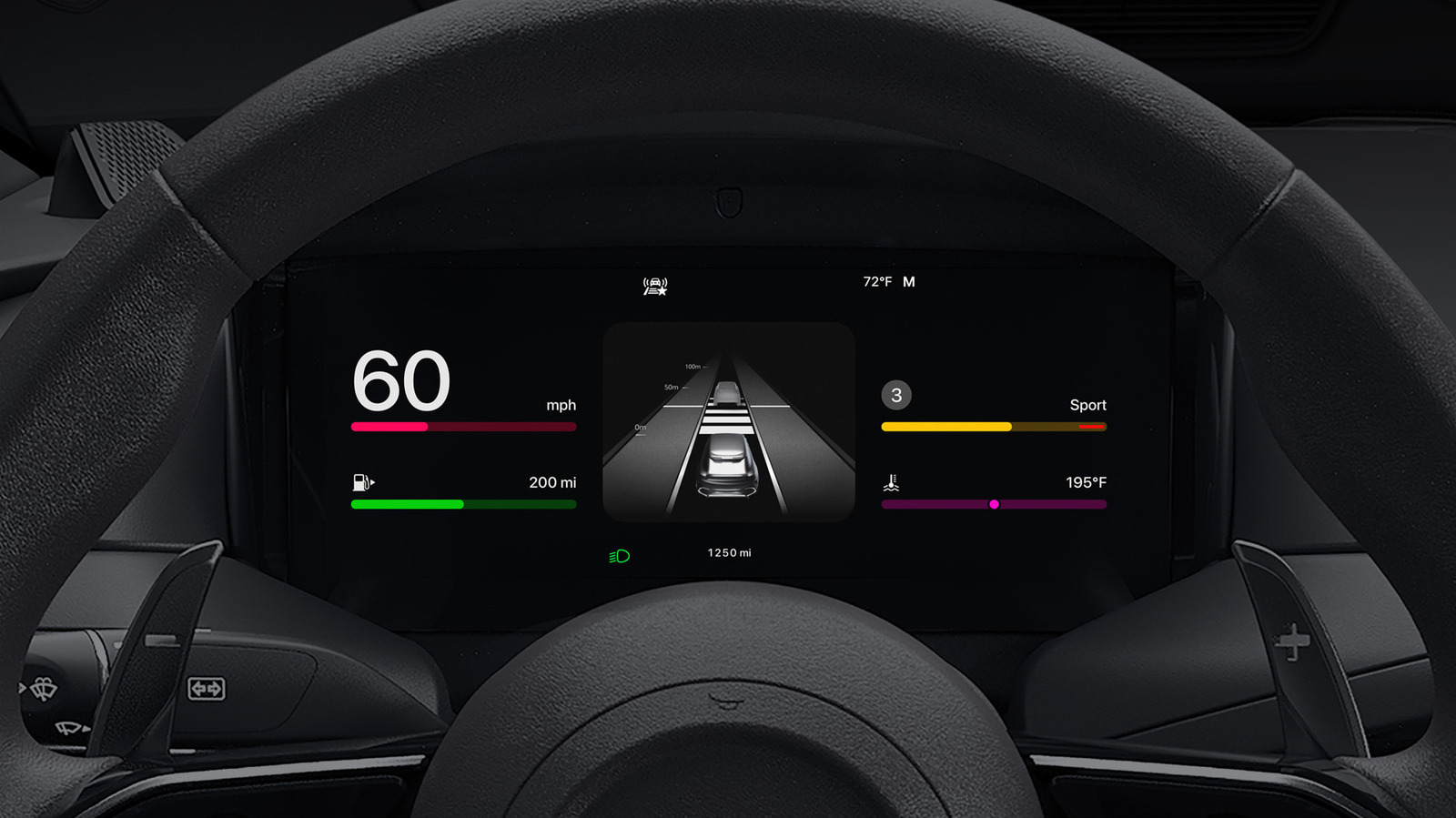

Apple’s latest iOS 27 update introduces new customization options and features for CarPlay, aiming to enhance usability and reduce distractions for drivers. Meanwhile, the company has settled a $250 million lawsuit with U.S. customers who purchased certain iPhone models, offering payouts of up to $95 per device.
30 SEC SUMMARY
- iOS 27 introduces new CarPlay customization options, including app layout adjustments and revamped Siri integration.
- Driving Focus mode and accessibility features like Voice Commands aim to reduce distractions and improve usability.
- Wireless CarPlay does not charge the phone unless the car supports wireless charging.
- Grayed-out songs on Apple Music may result from licensing, sync errors, or account issues.
- Apple settles a $250M lawsuit for U.S. customers who bought certain iPhone 15 or 16 models.
TABLE OF CONTENTS
- Customizing the CarPlay Experience
- Accessibility and Focus Features
- Wireless CarPlay and Charging Limitations
- Troubleshooting Apple Music Issues
- Apple’s Legal Settlement for iPhone Buyers
- What this means
- Key takeaways
- FAQ
- Sources
KEY HIGHLIGHTS
- iOS 27 introduces new CarPlay customization options, including app layout adjustments and revamped Siri AI.
- Driving Focus mode and accessibility features like Voice Commands aim to reduce distractions and improve usability.
- Wireless CarPlay does not charge the phone unless the vehicle supports wireless charging.
- Grayed-out songs on Apple Music may result from licensing issues, sync errors, or account problems.
- Apple settles a $250M lawsuit for U.S. customers who purchased certain iPhone 15 or 16 models between June 2024 and March 2025.
Customizing the CarPlay Experience
According to Engadget, Apple CarPlay users can now customize their in-car experience more effectively by adjusting app layouts directly from their iPhone settings. This feature allows drivers to prioritize frequently used apps, such as navigation or music, for quicker access while driving.
CarPlay’s brightness can be set to adjust automatically based on the time of day, reducing glare during night driving or improving visibility in daylight. Engadget also notes that iOS 26 introduced CarPlay widgets, which provide quick access to functions like weather, calendar, and clock without opening the apps.
Siri is integrated into CarPlay, enabling hands-free control through voice commands. Users can activate Siri by saying "Hey Siri" or pressing a voice button on their car’s steering wheel. Engadget highlights that iOS 27 brings a revamped Siri AI, designed to enhance functionality for CarPlay users with compatible iPhones.
Accessibility and Focus Features
Engadget reports that CarPlay includes Voice Commands, an accessibility feature that allows users to control the interface using voice alone. This is particularly useful for drivers with limited mobility or those who prefer not to interact with the screen while driving.
Another feature aimed at improving the driving experience is Driving Focus mode. According to Engadget, this tool helps reduce distractions by managing notifications. Users can customize it to allow messages only from specific contacts or silence all notifications entirely. Pinning conversations in the Messages app on an iPhone also pins them in CarPlay, making it easier to access important threads while on the road.
Wireless CarPlay and Charging Limitations
Engadget notes that wireless CarPlay connections do not charge the phone unless the vehicle is equipped with a wireless charging pad. This limitation may require users to rely on wired connections or separate charging solutions to maintain battery life during long drives.
Troubleshooting Apple Music Issues
Grayed-out songs on Apple Music can be a common frustration for users, and Engadget explains several possible causes. Tracks may appear unavailable when the device is offline or due to licensing restrictions. Artists or labels may remove songs from the catalog or restrict them to specific regions, leading to grayed-out tracks or messages like "No Longer Available."
Technical issues, such as sync errors or account-related problems, can also cause songs to appear grayed out. Engadget recommends troubleshooting steps like restarting the device, deleting and redownloading tracks, checking sync settings, and verifying account details. Additionally, Apple Music’s Content Restrictions feature may block explicit content unless users adjust their settings.
If songs disappear entirely, it could be due to purchasing music under a different Apple account. Engadget suggests signing out and back into the correct account to resolve the issue.
Apple’s Legal Settlement for iPhone Buyers
WIRED reports that Apple has reached a $250 million settlement for U.S. customers who purchased certain iPhone 15 or iPhone 16 models between June 10, 2024, and March 29, 2025. The settlement is linked to Apple’s promotion of Siri features, though the company denies any wrongdoing.
Eligible customers may receive up to $95 per device, with claims due by December 21. Payments can be received via PayPal, Venmo, electronic bank transfer, or paper check. To file a claim, customers need their iPhone’s serial number or Apple Account ID, as outlined by WIRED.
What this means
LazyFounders analysis — our interpretation, not reported fact.
For founders and operators, Apple’s updates to CarPlay and its legal settlement highlight two critical trends. First, the push toward customization and accessibility in CarPlay reflects a broader shift in consumer expectations. Users no longer want one-size-fits-all solutions; they expect products to adapt to their needs, whether through voice control, personalized app layouts, or distraction-reducing features. Startups in the automotive tech or smart device space should take note—usability and adaptability are becoming key differentiators.
Second, Apple’s legal settlement serves as a reminder of the risks tied to marketing and consumer expectations. While the company denied wrongdoing, the payout underscores how even minor misalignments between promotional claims and user experience can lead to costly repercussions. For startups, this reinforces the importance of transparency in product messaging and ensuring that features deliver on their promises.
Key takeaways
- Customizing CarPlay’s app layout and brightness can enhance the in-car experience for users.
- Siri’s AI upgrades in iOS 27 aim to improve voice control for CarPlay users.
- Driving Focus mode helps manage notifications, reducing distractions while driving.
- Grayed-out songs on Apple Music often stem from licensing, technical, or account-related issues.
- Apple’s $250M settlement for iPhone buyers highlights legal and consumer rights challenges.
FAQ
How can I customize Apple CarPlay in iOS 27?
Users can adjust app layouts, brightness settings, and enable widgets for quick access to functions like weather and calendar. These changes can be made directly from the iPhone settings.
What is Driving Focus mode in CarPlay?
Driving Focus mode is a feature that helps reduce distractions by managing notifications. Users can customize it to allow messages only from specific contacts or silence all notifications while driving.
Why do songs appear grayed out on Apple Music?
Grayed-out songs can result from licensing restrictions, offline devices, sync errors, or account-related issues. Troubleshooting steps include restarting the device, checking sync settings, and verifying account details.
Who is eligible for Apple’s $250M iPhone settlement?
U.S. customers who purchased certain iPhone 15 or iPhone 16 models between June 10, 2024, and March 29, 2025, may be eligible for payouts of up to $95 per device.
How do I file a claim for the Apple settlement?
Eligible customers must file a claim by December 21 using their iPhone’s serial number or Apple Account ID. Payments can be received via PayPal, Venmo, bank transfer, or paper check.
Related on LazyFounders
Sources
- Engadget · 2026-09-22
Improve Your Apple CarPlay Experience By Doing These Simple Things - Engadget · 2026-09-22
Why Are Some Songs Grayed Out On Apple Music (And How To Fix It) - WIRED · 2026-09-22
How to Claim Your Cut of Apple’s $250 Million Siri Settlement
This story is an original summary and analysis written by LazyFounders from the reporting listed above. Facts are attributed to their original publishers; sections marked as analysis are LazyFounders's opinion. Where a source is in another language, facts were machine-translated and quotations are reported, not reproduced. Read the original coverage via the links.
